Research
How to Use Claude AI for Cybersecurity
- claude
- ai
- cybersecurity
- methodology
- learning
A practical, methodology-first guide to Claude, Claude Code, Projects, and companion tools for authorized security research — without treating AI as a black-box scanner.
Artificial intelligence is changing how security teams learn, review code, and prioritize work. Claude, built by Anthropic, is strongest when you treat it as a structured research partner — not as a replacement for tools, judgment, or authorization.
This guide covers how to use Claude for cybersecurity learning and authorized assessments, how it fits beside Burp, Semgrep, Nuclei, and OWASP references, and how product features on claude.com map to real workflows.
Scope note: Use these methods only on systems you own or have written permission to test. hackingDNA does not generate exploits or weaponized proofs of concept.
Why Claude matters for security work
Claude is trained with Anthropic’s Constitutional AI approach and positioned as a capable assistant for reading large contexts, writing and editing, generating code, searching the web, and running longer reasoning with extended thinking. Plans on claude.com currently span Free, Pro, Max, Team, and Enterprise, with Pro-tier productivity features that include Claude Code, Projects, Research, and related workflows.
For cybersecurity, the useful properties are:
- Long-context reasoning — policies, architecture notes, and code excerpts in one thread.
- Projects with knowledge — persistent instructions and uploaded documents for a single engagement or learning track (Projects help).
- Automatic RAG for large project knowledge — when uploads approach context limits, Claude can switch to retrieval mode and expand capacity (RAG for projects).
- Claude Code + artifacts — turn investigation sessions into shareable walkthroughs and checklists for teammates.
- Claude Security (Enterprise beta) — repository scanning with validation and suggested patches under human review (Claude Security).
AI still hallucinates. Every finding needs independent verification with your own tooling.
Infographic 1 — The AI-assisted research loop
Keep Claude inside a methodology loop. Tools amplify step three; they do not skip steps one and two.
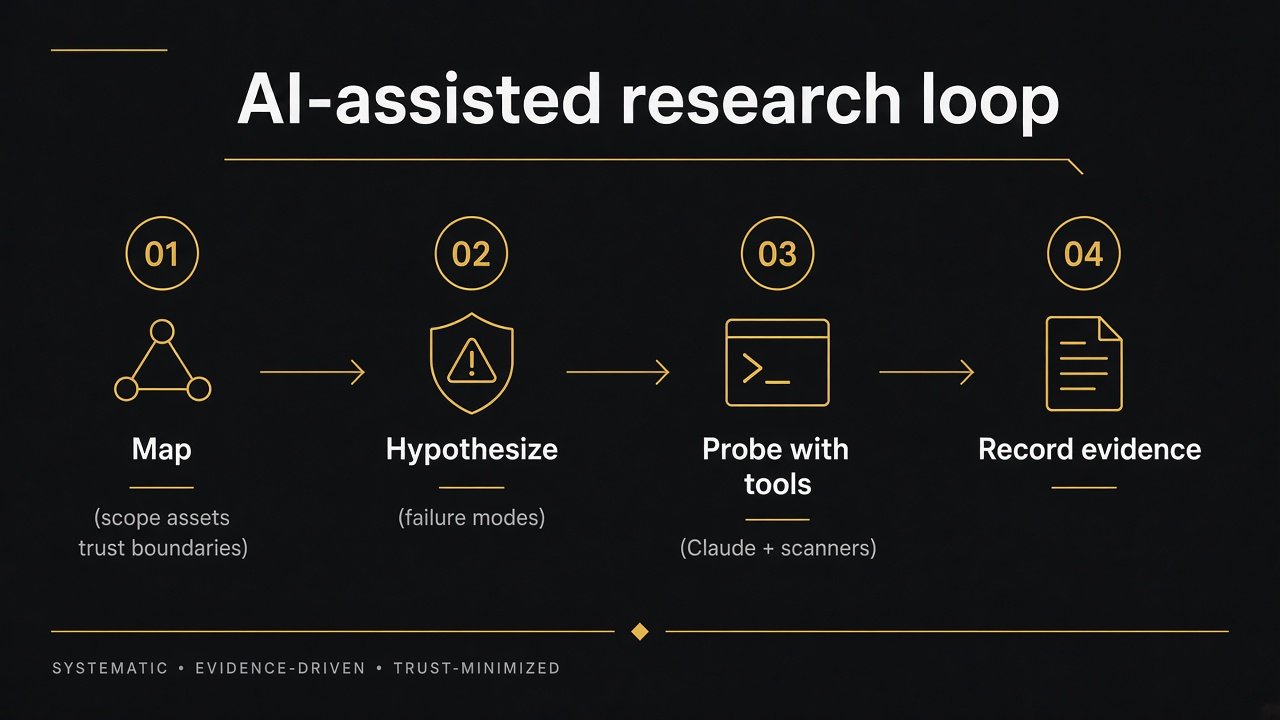
Map → Hypothesize → Probe (Claude + scanners) → Record. Authorized research only.
How to run the loop with Claude
- Map — Paste in-scope assets, roles, trust boundaries, and out-of-scope edges. Ask Claude to produce a structured asset inventory and open questions. Do not invent hosts.
- Hypothesize — Ask for ranked failure modes (access control, auth protocol misuse, business logic). Require one testable hypothesis per item.
- Probe — Use Claude to draft safe checklists and review your notes. Run actual probes in Burp, browser labs, or scanners you control.
- Record — Have Claude normalize evidence into report fields (summary, impact, remediations). You still own severity and proof.
Infographic 2 — Claude plus the security tooling stack
Claude is the thinking layer. Complementary tools own traffic, coverage, and standards.
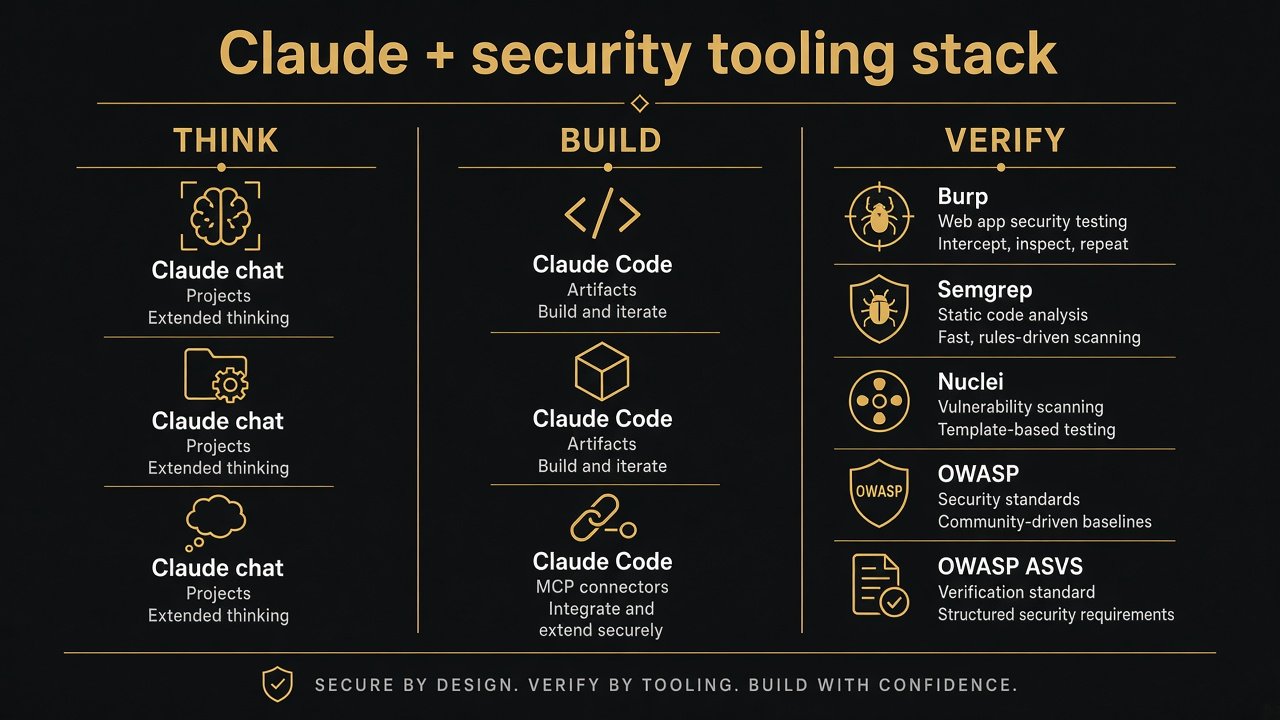
Think (Claude) → Build (Claude Code / artifacts) → Verify (Burp, Semgrep, Nuclei, OWASP).
Layer A — Think (Claude on web / desktop)
Use cases that fit well:
- Threat modeling from architecture diagrams and policy PDFs
- Translating OWASP ASVS or Top 10 items into engagement checklists
- Reviewing your own notes for gaps before you retest
- Explaining disclosed write-ups in plain language for learning
- Drafting internal runbooks and tabletop scenarios
Practical setup on claude.com:
- Create a Project named for the engagement or course (for example
lab-idor-2026). - Add project instructions: role, tone, hard constraints (“authorized systems only”, “no exploit payloads”, “cite uncertainty”).
- Upload project knowledge: scope PDF, architecture notes, previous findings (sanitized), relevant OWASP excerpts.
- Enable extended thinking for multi-step reviews when available on your plan.
- Use web search / Research only for public docs and advisories — never to gather unauthorized target data.
Layer B — Build (Claude Code and artifacts)
Claude Code helps when you already have a repo or local lab you are allowed to analyze:
- Trace data flow across files for authz checks
- Summarize PR risk for security review
- Generate remediation sketches you will review line by line
- Publish artifacts — live pages for PR walkthroughs, incident timelines, and checklists that update with the session
Keep secrets out of prompts. Prefer local or private connectors. Treat every suggested patch as untrusted until reviewed.
Layer C — Verify (non-AI tools)
Pair Claude with instruments that observe real behavior:
| Need | Tooling | |------|---------| | HTTP inspection / replay | Burp Suite | | Static patterns | Semgrep, CodeQL | | Template coverage | Nuclei (authorized only) | | Standards | OWASP ASVS, Top 10, Cheat Sheet Series | | Learning labs | PortSwigger Web Academy, OWASP Juice Shop |
Ask Claude to interpret scanner output, not to invent evidence. Paste redacted findings and request triage: false positive likelihood, missing context, next manual check.
Infographic 3 — Prompt layers that keep analysis safe
Weak prompts produce vague advice. Layered prompts produce reusable method.
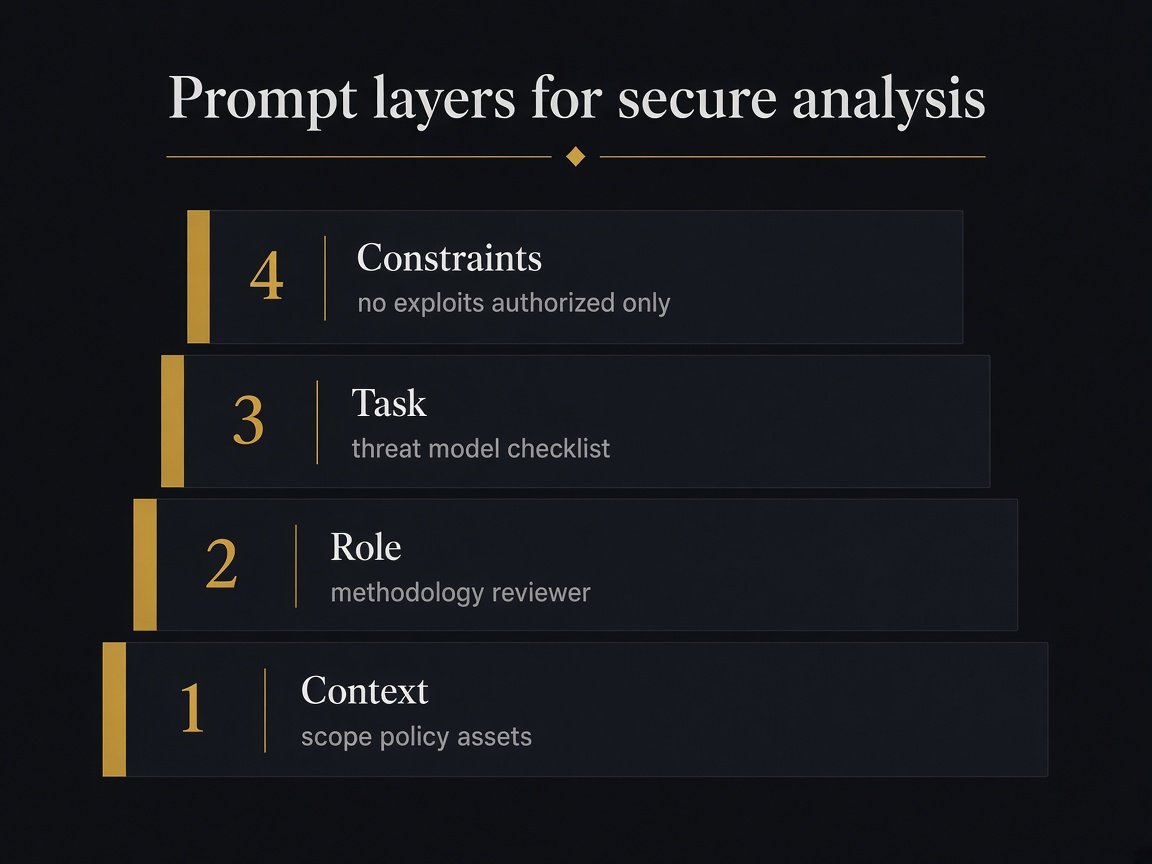
Context → Role → Task → Constraints. Put authorization at the base of every prompt.
Copy-ready prompt skeleton
Use this structure in Projects or single chats:
CONTEXT:
- Engagement type: [bug bounty / internal review / lab]
- Authorization: written permission for [scope]
- Assets in scope: [...]
- Explicitly out of scope: [...]

ROLE:
You are a methodology reviewer. Prefer clarity over speculation.
Mark uncertainty. Do not invent endpoints or vulnerabilities.

TASK:
1) List trust boundaries.
2) Propose 5 ranked hypotheses for [access control / auth / logic].
3) For each hypothesis, give a non-destructive verification idea.
4) Map each item to an OWASP class when possible.

CONSTRAINTS:
- No exploit code, PoCs, or bypass recipes.
- No instructions for unauthorized systems.
- If evidence is missing, say what to collect next.
High-value cybersecurity tasks for Claude
1. Scope digestion
Upload the program policy. Ask for a table of in-scope vs out-of-scope, safe harbor notes, and rate-limit guidance.
2. Threat model from a diagram
Describe or paste architecture notes. Ask for STRIDE-lite or asset–threat–control triples. Require assumptions to be listed separately.
3. Diff / PR security review
Provide a diff you are allowed to share. Ask for authz, injection surfaces, crypto misuse, and SSRF-adjacent patterns — then verify each claim in code.
4. Finding write-up polish
Paste your draft report. Ask Claude to tighten impact language, suggest remediation themes, and flag missing reproduction steps — without inventing steps.
5. Learning from disclosed reports
Paste a public disclosed title and your notes (not paywalled private content). Ask: broken assumption, intended control, reusable lesson. See also How to read disclosed Hacktivity.
6. Scanner triage
Paste Semgrep/Nuclei/Burp issue summaries. Ask Claude to cluster by root cause and propose a manual confirmation order.
Claude Security for teams
Claude Security (public beta for Claude Enterprise; Claude Code plugin in beta) is Anthropic’s productized path from scan to suggested fix:
- Scans repositories with a cyber-focused model path (Mythos-powered scans on Enterprise Claude Security)
- Validates findings with an adversarial pass to reduce noise
- Proposes patches for human approval
- Integrates with Slack/Jira via webhooks and supports scheduled or directory-scoped scans
Team rule: Claude Security can miss issues and can be wrong. Review every patch. Keep SAST/DAST and manual review in the pipeline.
Other AI tools that pair well
Claude is not the only model layer. A sane stack looks like this:
- Claude — deep reading, project memory, code reasoning, report drafting
- Claude Code / IDE agents — repo-grounded iteration on authorized codebases
- Traditional scanners — breadth and regression coverage
- Human analyst — authorization, impact, and final call
Avoid pasting secrets, customer PII, or production tokens into any model. Prefer redaction and local analysis for sensitive code.
Operational checklist
Before you open Claude for a security task:
- [ ] Written authorization or lab ownership confirmed
- [ ] Scope and out-of-scope written into project instructions
- [ ] Secrets stripped from uploads
- [ ] Success criteria defined (checklist, threat model, triage — not “find vulns”)
- [ ] Verification plan named (which tool confirms each claim)
- [ ] Human review required for any remediation
Common mistakes
- Asking for exploits — wrong use of AI and often illegal outside authorization.
- Trusting unverified model claims — treat outputs as hypotheses.
- Skipping methodology — AI without Map/Hypothesize becomes noise.
- Dumping entire proprietary repos into Free chats — use Projects, least privilege, and policy.
- Ignoring traditional tools — Claude does not replace Burp or ASVS.
Bottom line
Claude is a high-leverage amplifier for methodology-first cybersecurity work: digesting scope, structuring hypotheses, reviewing code you are allowed to touch, and polishing communication. Pair it with Projects, Claude Code, and — where licensed — Claude Security, then verify everything with real instruments.
Start with a Project, lock constraints, and keep the research loop short. For companion reference on this site, browse Resources, OWASP, and Techniques.
Primary sources: claude.com, Claude Security, Projects, RAG for projects.